32英寸 M70C 平面智慧显示器 曜金黑 S32CM700UC

32
LS32CM700UCXXF

{{priceAnchor.priceWrapper.info.noLineOrignal}}

{{priceAnchor.priceWrapper.info.totalPrice}}
{{priceAnchor.priceWrapper.info.totalPriceMonthly}}

{{priceAnchor.priceWrapper.info.ceExchangePrice}}

{{priceAnchor.priceWrapper.info.orignalPriceAddText}}
{{priceAnchor.priceWrapper.info.lowestWasPricetext}}
{{priceAnchor.priceWrapper.info.orignalPrice}}
{{priceAnchor.priceWrapper.info.savePrice}}
{{priceAnchor.priceWrapper.info.disclaimer}}

选择尺寸

32英寸 M70C 平面智慧显示器 曜金黑 S32CM700UC
32

{{item.name}}

{{item.summaryPrice}}

Samsung Reward points

{{rewards.formatted.totalPoint}}

* Actual Samsung Rewards points earned may differ from the estimate provided.

{{price.priceWrapper.info.totalPrice}} {{price.priceWrapper.info.vatText}}

{{price.priceWrapper.info.orignalPriceAddText}}

{{price.priceWrapper.info.lowestWasPricetext}}

{{price.priceWrapper.info.orignalPrice}} {{price.priceWrapper.info.savePrice}}

Earn 5% back in rewards

{{price.priceWrapper.info.walkoutQtyText}}

{{price.priceWrapper.info.homeDeliveryQtyText}}

{{price.priceWrapper.info.salesPitch}}

{{price.priceWrapper.info.text}}

{{price.priceWrapper.info.text2}}

{{price.priceWrapper.info.text3}}

{{price.priceWrapper.info.shippingOrBack}}

{{price.priceWrapper.info.taxPriceDisplay}}

{{upgrade.title}}

{{upgrade.learnMoreCta.text}}

{{upgrade.description}}

{{upgradeResult.displayModelName}}

{{upgradeResult.discountText1}}

{{upgradeResult.description1}}

{{upgradeResult.description2}}

{{offerFinance.title}}

{{offerFinance.learnMoreCta.text}}

{{offerFinance.description}}

{{galaxyForever.title}}

{{galaxyForever.learnMoreCta.text}}

{{galaxyForever.description}}

{{galaxyForeverResult.displayModelName}}

{{galaxyForeverResult.discountText1}}

{{galaxyForeverResult.description1}}

{{galaxyForeverResult.description2}}

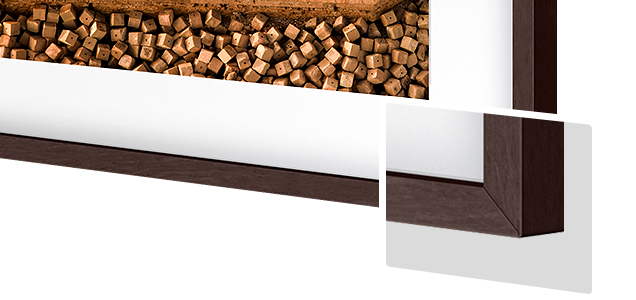
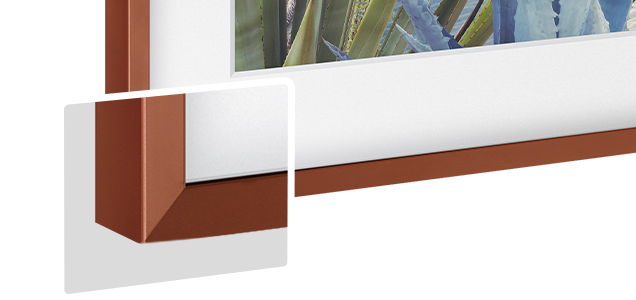
选择您的边框颜色

画框为赠品,支付时金额立减

选择您的外壳颜色

可定制外壳需单独购买

  • {{item.name}}

    开售提醒

现代风格

  • {{item.name}}

    开售提醒

楔形风格

  • {{item.name}}

    开售提醒

外壳颜色

  • {{item.name}}

    开售提醒

{{shippingOrBack.shippingOrBack}}
{{deliveryMessage.deliveryMessage}}

{{tradeIn.title}}

{{tradeIn.learnMoreCta.text}}

{{tradeIn.description}}

You have maximum number of Trade-in in cart already. If you wish to add in Trade-in, please remove from cart.

旧机估值已添加

  • {{item.displayModelName}} {{item.discountText1}} {{item.discountText2}}

{{tradeInResult.totalTicketMoneyText}}

旧机抵扣金额最终将以实际评估值为准

Dealer stock quantity

You can check the stock quantity for each region

Please select city

Only {0} left in stock.

Sorry, this product is not currently available in selected city.

{{assuredBuyBack.title}}

{{newAssuredBuyBack.title}}

{{newAssuredBuyBack.learnMoreCta.text}}

{{newAssuredBuyBack.description}}

Please select Samsung Assured Buyback or no coverage

{{care.title}}

{{care.learnMoreCta.text}}

{{care.description}}

请选择管家服务

  • {{item.specialText}}

{{warranty.title}}

{{warranty.learnMoreCta.text}}

{{warranty.description}}

{{warrantyResult.displayModelName}}

{{warrantyResult.discountText1}}

{{warrantyResult.description1}}

{{warrantyVd.description}}

{{warrantyVdResult.title}}

{{warrantyVdResult.priceDisplay}}

{{delivery.headline}}

{{delivery.errorMessage}}

应用

{{deliveryResult.priorityText}}

{{deliveryResult.mainText}}

{{deliveryResult.subText}}
Standard installation charges may apply.Click here for more details.

{{deliveryResult.decText}}

{{item.disclaimer}}

{{tariffOption.headline}}

了解更多

{{tariffOption.description}}

{{tariffOptionResult.displayModelName}}

{{tariffOptionResult.discountText1}}

{{tariffOptionResult.description1}}

{{tariffOptionResult.description2}}

{{tariffOptionResult.description}}

{{tariffOptionResult.price}}

{{tariffOptionResult.disclaimer}}

{{embedAddon.title}}

{{embedAddon.description}}

  • {{item.imgAlt}} {{item.imgAlt}}
    {{item.iconTitle}}

    {{item.name}}

    {{item.modelCode}}

    {{item.description}}

    {{item.finalPrice}}

    {{item.originalPrice}} {{item.savePrice}} 开售提醒
  • {{item.imgAlt}} {{item.imgAlt}}
    {{item.iconTitle}}

    {{item.name}}

    {{item.modelCode}}

    {{item.description}}

    • {{item.dotList1}}
    • {{item.dotList2}}
    • {{item.dotList3}}

    {{item.finalPrice}}

    {{item.originalPrice}} {{item.savePrice}} 开售提醒
{{message.item.offerTitle}}
{{message.item.offerTooltip}}
{{message.item.linkText}}

{{message.item.tcCTAText}}

{{message.item.periodText}}

{{finance.item.emiText}} {{finance.item.emiText}}
{{finance.item.offerTooltip}}
{{finance.item.cta.label}}

特征

让看电视、玩游戏和生活变得有范儿

屏幕为您提供所需内容。通过智慧显示器,即可看电视、工作和聊天——无需连接个人电脑。内置您喜爱的资讯、工作和视频通话应用程序,实现简洁、时尚的桌面设置,让您在使用中拥有乐趣。

The monitor screen changes for three times. First is a video with a woman watching a video, and the next is of a woman working. The last one is a video call of a group. At the end, icons overlap over the monitor, and †Smart Monitor M7' text appears. The monitor screen changes for three times. First is a video with a woman watching a video, and the next is of a woman working. The last one is a video call of a group. At the end, icons overlap over the monitor, and †Smart Monitor M7' text appears.

*屏幕中的内容为模拟图像,仅用于说明之目的。
*摄像头需单独购买。

在您的空间尽享钟爱节目

智能电视体验

轻松娱乐。只需将显示器连接到无线网络,即可享受丰富的在线流媒体服务。同时全域搜索(Universal Guide)将为您提供个性化的内容推荐。

* 相关应用程序的可用性可能因国家而异。
*需互联网连接。
* Samsung TV Plus和全域搜索(Universal Guide)在某些地区可能无法使用。
* 遥控器规格可能因国家而异。
* 图片为模拟图片,仅为演示说明之目的。

无需电脑在身边即可工作

工作空间

体验远程办公。无需个人电脑在身边,即可浏览网页、编辑文档和进行项目工作。您可以通过远程主机模式,远程访问其它个人电脑,甚至还可以通过Samsung DeX连接到Samsung移动设备,实现移动办公。

A monitor sits next to a laptop. Above the monitor, the word †Home' appears. Above the laptop the word †Office' appears. The laptop makes a connection with the monitor represented by  a cloud icon. After connecting, the content shown on the laptop screen is mirrored on to the monitor screen. A monitor sits next to a laptop. Above the monitor, the word †Home' appears. Above the laptop the word †Office' appears. The laptop makes a connection with the monitor represented by  a cloud icon. After connecting, the content shown on the laptop screen is mirrored on to the monitor screen.

*屏幕中的内容为模拟图像,仅用于说明之目的。
* 特定Samsung Galaxy、Galaxy Note和Galaxy Tab设备支持无线DeX。
*此功能需Windows 10 专业版、Mac OS 10.5或更高版本,以及兼容的网络设置。

智能家庭生活中枢

物联网中枢

利用SmartThings应用程序将您的物联网家居产品连接至智慧显示器,让它变成家庭的控制中心。通过智慧显示器,您可关闭灯光、拉下窗帘或为空调设置适合的温度,为您带来一个轻松愉快的夜晚。

A room contains a desk with a smart lamp and monitor on top, smart air purifier, a smart robot vacuum, a smart hanging light and a smart speaker. Above each smart home item is an icon representing each item. Each icon is selected using SmartThings functionality which turns on each device. A room contains a desk with a smart lamp and monitor on top, smart air purifier, a smart robot vacuum, a smart hanging light and a smart speaker. Above each smart home item is an icon representing each item. Each icon is selected using SmartThings functionality which turns on each device.

* 可用的技术、功能和特性可能因国家、服务提供商、网络环境或产品而异,如有变化,恕不另行通知。
* 需要无线网络、蓝牙或其他无线网络连接,且设备需注册SmartThings应用程序。
* 所连接的设备需单独购买。关于完整的兼容设备清单,请访问https://www.smartthings.com/products。

洞察内容的生动细节

超高清画质

不论工作或娱乐,呈现惊人画质。智慧显示器超高清的像素达到全高清的4倍,提供大屏幕空间和栩栩如生的超高清图像。白天,它可以让您同时查阅更多文件;晚上,您可以用它观赏4K画质*的电影。

A busy city center with people walking around is very dimly lit. A box zooms into the clock which then shows a comparison of the image with FHD and UHD. A wave of pixels then rushes over the scene and creates a more vivid, clearer video quality in UHD. A busy city center with people walking around is very dimly lit. A box zooms into the clock which then shows a comparison of the image with FHD and UHD. A wave of pixels then rushes over the scene and creates a more vivid, clearer video quality in UHD.

*UHD超高清即屏幕分辨率达到3840×2160,FHD全高清即屏幕分辨率达到1920 x 1080, UHD超高清分辨率是FHD分辨率近4倍。
*4K 画质仅在第三方应用或输入设备支持4K 情况下可达到 。

连接方便

USB Type-C 接口

USB Type-C接口让您能够在设备之间通过一次简单的连接就实现电量传输、数据传输,以及显示信号传输。简单的连接方式让工作环境更少杂乱,心情更加轻松。

即插即看

自动信号源切换+

无需再来回切换。通过自动信号源切换功能,您的显示器将在新连接的设备插入后立即检测到它们,并显示正确的信号。无需再在菜单上搜索正确的输入信号源。

规格参数

  • 屏幕比例

    16:9

  • 亮度(典型值)

    300cd/㎡

  • 静态对比度(典型值)

    3,000:1(Typ.)

  • 分辨率

    3,840 x 2,160

  • 对角线尺寸(类目)

    32

  • 平面/曲面

    平面

  • 显示区域面积(mm)

    697.306 x 392.234mm

  • 屏幕比例

    16:9

  • 面板类型

    VA

  • 亮度(典型值)

    300 cd/㎡

  • 亮度(最小值)

    240 cd/㎡

  • 静态对比度(典型值)

    3,000:1(Typ.)

  • HDR

    HDR10

  • 分辨率

    3,840 x 2,160

  • 响应时间 (ms)

    4ms(GTG)

  • 可视角度 (水平/垂直)

    178°(H)/178°(V)

  • 色数

    最大 1B

  • 刷新率

    最大 60Hz

  • 护眼模式

    支持

  • 低频闪

    支持

  • 游戏模式

    支持

  • Windows 认证

    Windows 10

  • Game Bar 2.0

    支持

  • HDMI-CEC

    支持

  • 信号源自动切换 +

    支持

  • 自适应图像

    支持

  • Ultrawide游戏视图

    支持

  • 智能类型

    Smart

  • Operating System

    Tizen™

  • Bixby

    中国普通话

  • 远场语音

    支持

  • 三星智家 app支持

    支持

  • Samsung Connect

    支持

  • 手机投屏(屏幕镜像,DLNA协议)

    支持

  • 触碰投屏

    支持

  • 远程桌面

    支持

  • 声音镜像

    支持

  • ConnectShare™

    支持

  • 无线显示

    支持

  • 高清多媒体接口(HDMI)

    2 EA

  • HDMI版本

    2.0

  • HDCP 版本 (HDMI)

    2.2

  • USB Hub

    3

  • USB Hub 版本

    2.0

  • USB-C

    1 EA

  • USB-C充电功率

    65W

  • WiFi

    支持 (WiFi5)

  • 蓝牙

    支持 (BT5.2)

  • 扬声器

    支持

  • 自适应音效

    自适应音效

  • 温度

    10~40 ℃

  • 湿度

    10~80%,非冷凝

  • 出厂校色

    支持

  • 前框颜色

    黑色

  • 背板颜色

    黑色

  • 底座颜色

    黑色

  • 底座类型

    SIMPLE

  • 俯仰

    -2.0°(-2.0°~+2.0°)~+22.0°(±2.0°)

  • 壁挂

    100 x 100

  • 能效等级

    3

  • 电源

    AC 100~240V

  • 最大功率

    150 W

  • 睡眠状态功率

    0.5 W

  • 关机功耗

    0.5 W

  • 类型

    内部适配器

  • 含底座尺寸(宽 x 高 x 深)

    716.1 x 517.0 x 193.5 mm

  • 不含底座尺寸-机身底部(宽 x 高 x 深)

    716.1 x 424.5 x 41.8 mm

  • 包装尺寸(宽 x 高 x 深)

    842.0 x 133.0 x 487.0 mm

  • 重量(含底座)

    6.5 kg

  • 重量(不含底座)

    5.4 kg

  • 含包装重量

    8.4 kg

  • 电源线长度

    1.5 m

  • HDMI 连接线

  • 遥控器

商品评价

全部评价(0)

使用者手册与下载

User Manual

版本 2407260 | 1.46 MB

2024年8月2日

汉语

Quick Setup Guide

版本 2208090 | 5.26 MB

2024年7月4日

汉语

电子说明书

版本 2311170 | 4.43 MB

2024年6月14日

英语, 汉语

产品支持

查找关于产品的解决方案

产品支持

充分利用 Samsung 设备和服务。

在线咨询

了解产品的工作方式,并就哪些型号适合您的需求获取建议。

1